 Plainlist
Turn a messy day into
a clear plan — without leaving text.
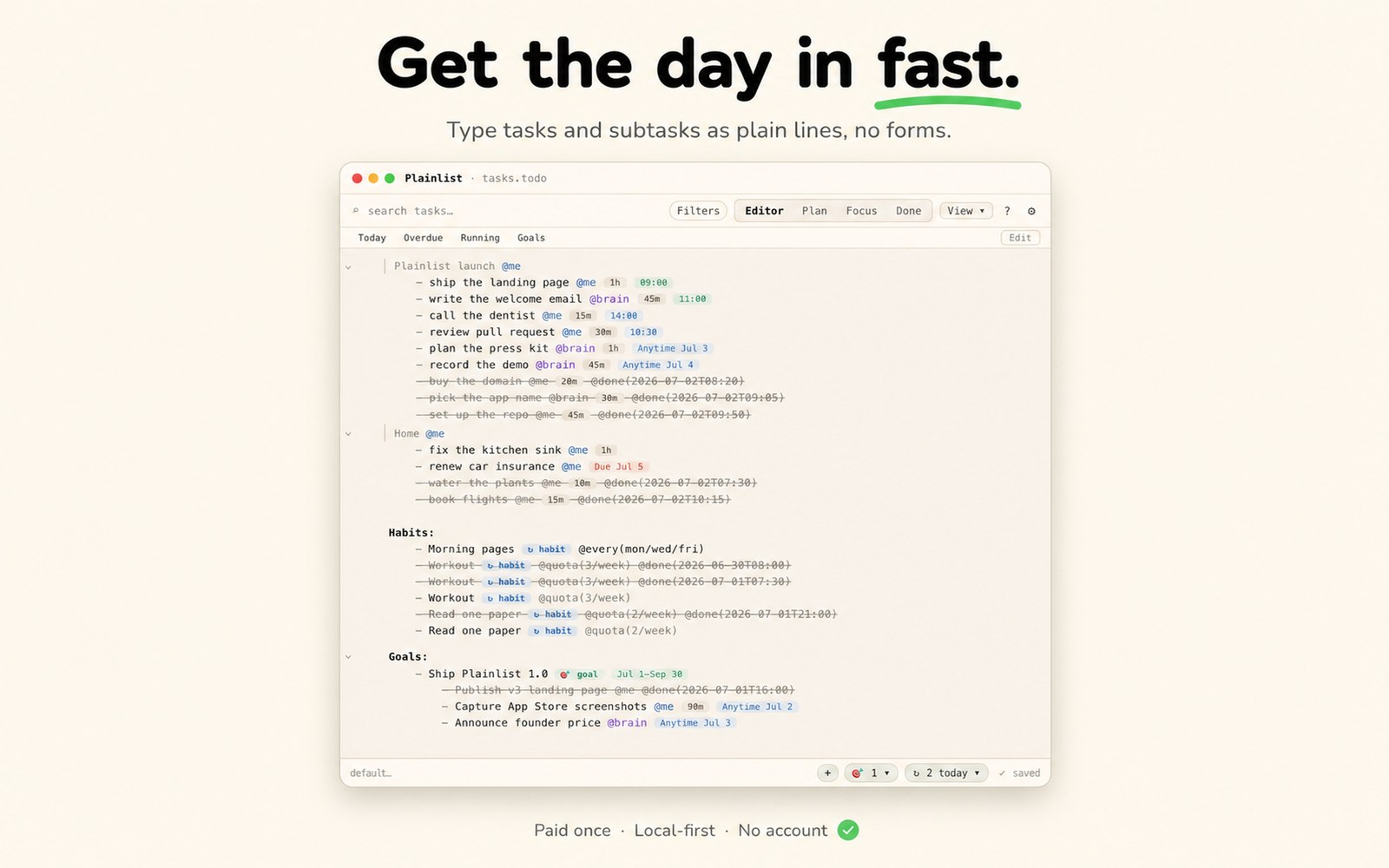
Type tasks, subtasks, dates, habits, and goals as plain lines — then switch between Plan, Focus, and Done over the same .todo file. Fast to get in, clear to work from — and it stays a plain-text file you own.
Apple Silicon · macOS 12+ · 14-day free trial, then $19.99 once
Problem 01 · Getting it in
Most planners slow you down before you've typed a thing.
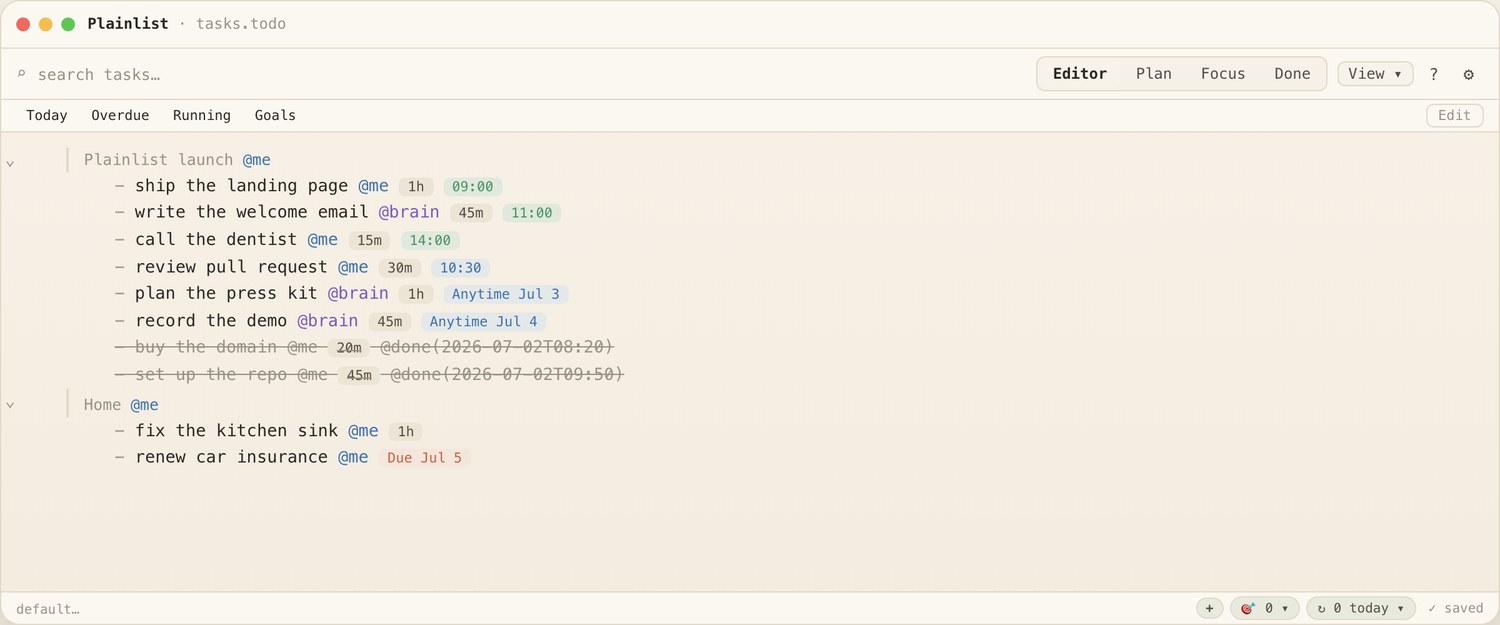
TickTick and Todoist make you click through fields and modals for every task. On a heavy day full of subtasks, that friction is why capture never keeps up. Plainlist is just text: type a line, indent for a subtask, add @est or /p1 inline. Nothing to click first.
- A subtask is one indent. No nesting UI, no drag-and-drop.
- Metadata is typed, not tapped. @start, @due, @est, @p1 inline on the line.
- Quick capture from any app with one global shortcut, in natural language.
Problem 02 · Organize and still focus
Plan the whole thing. Then see only today.
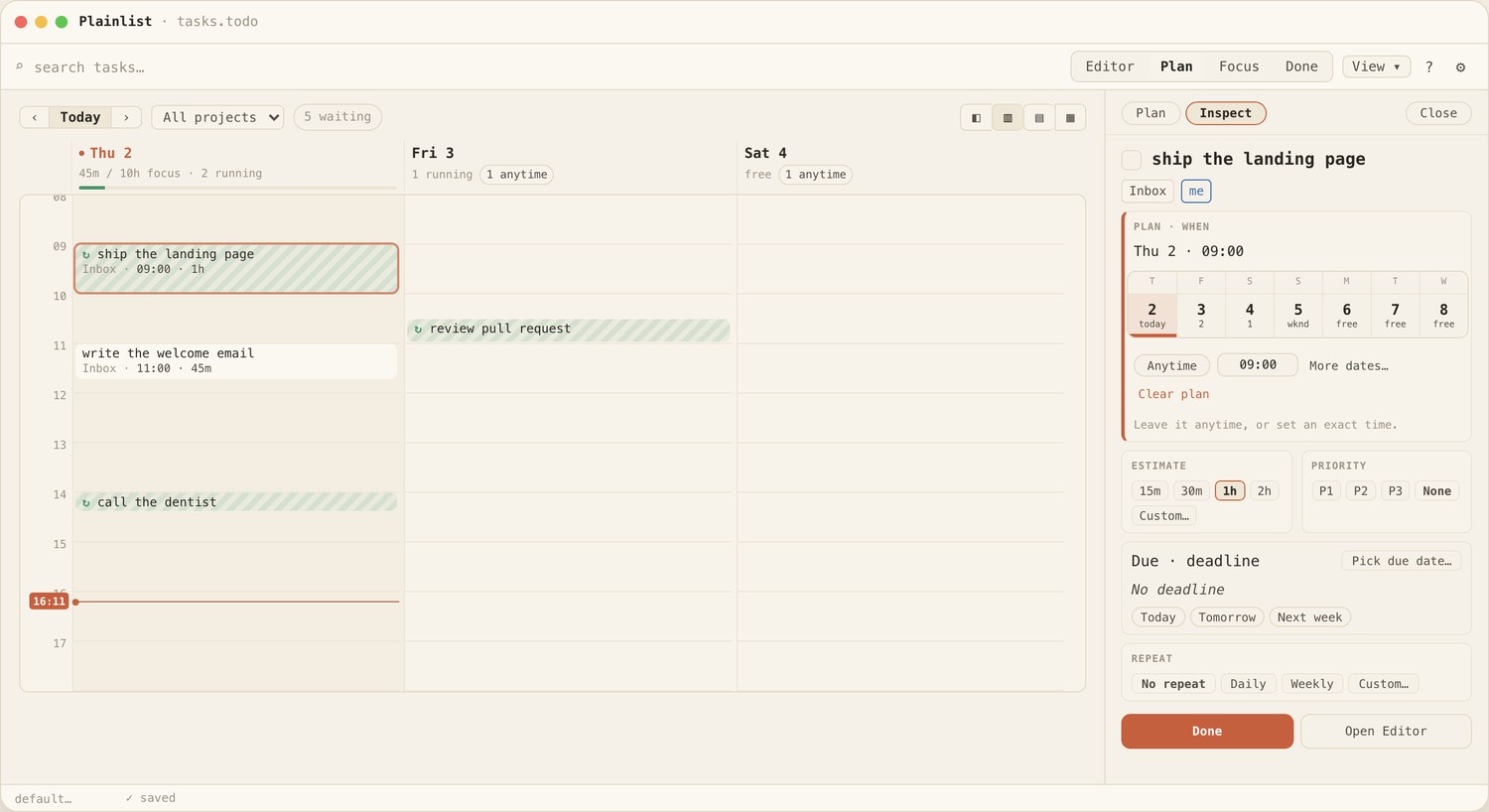
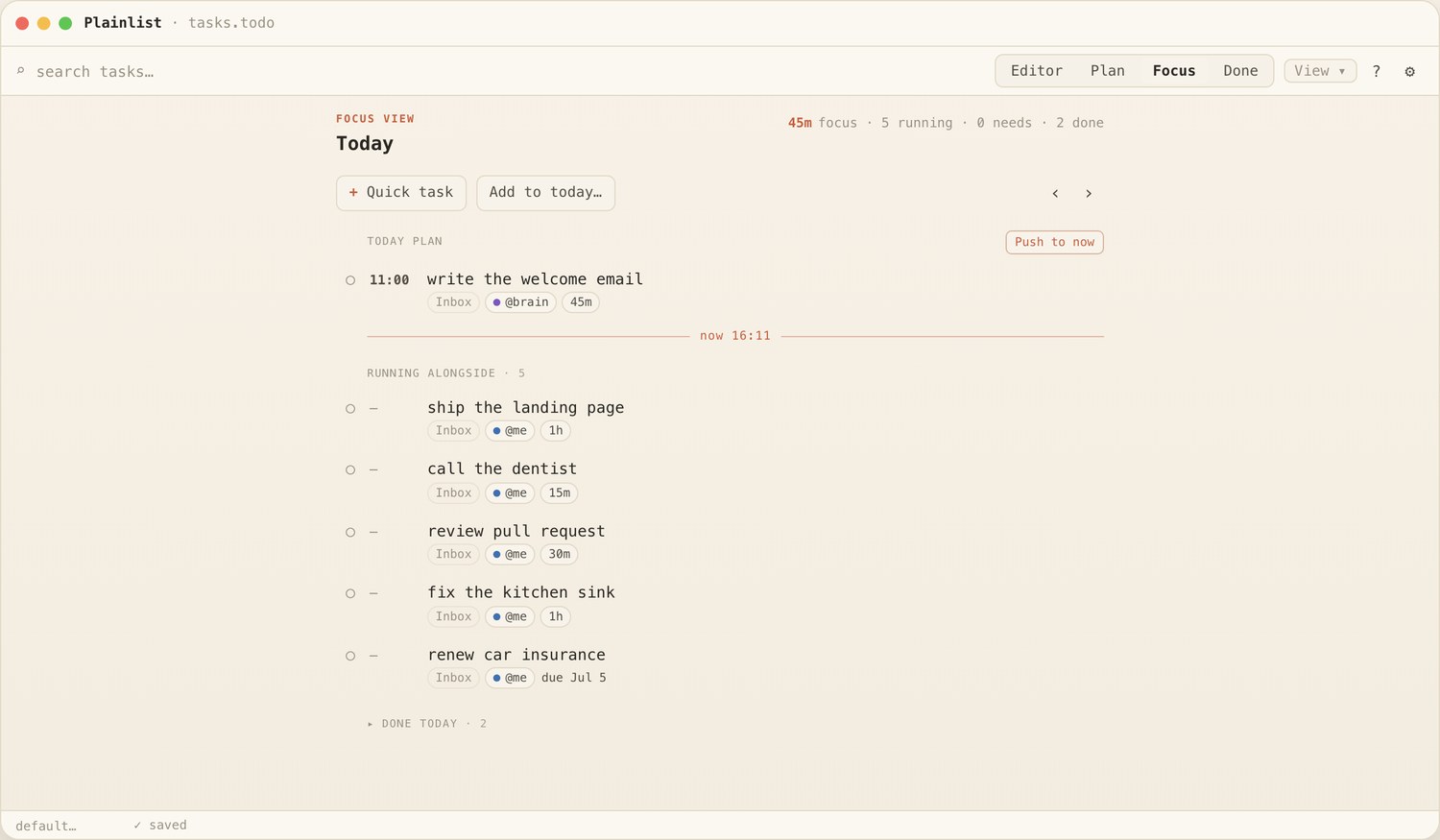
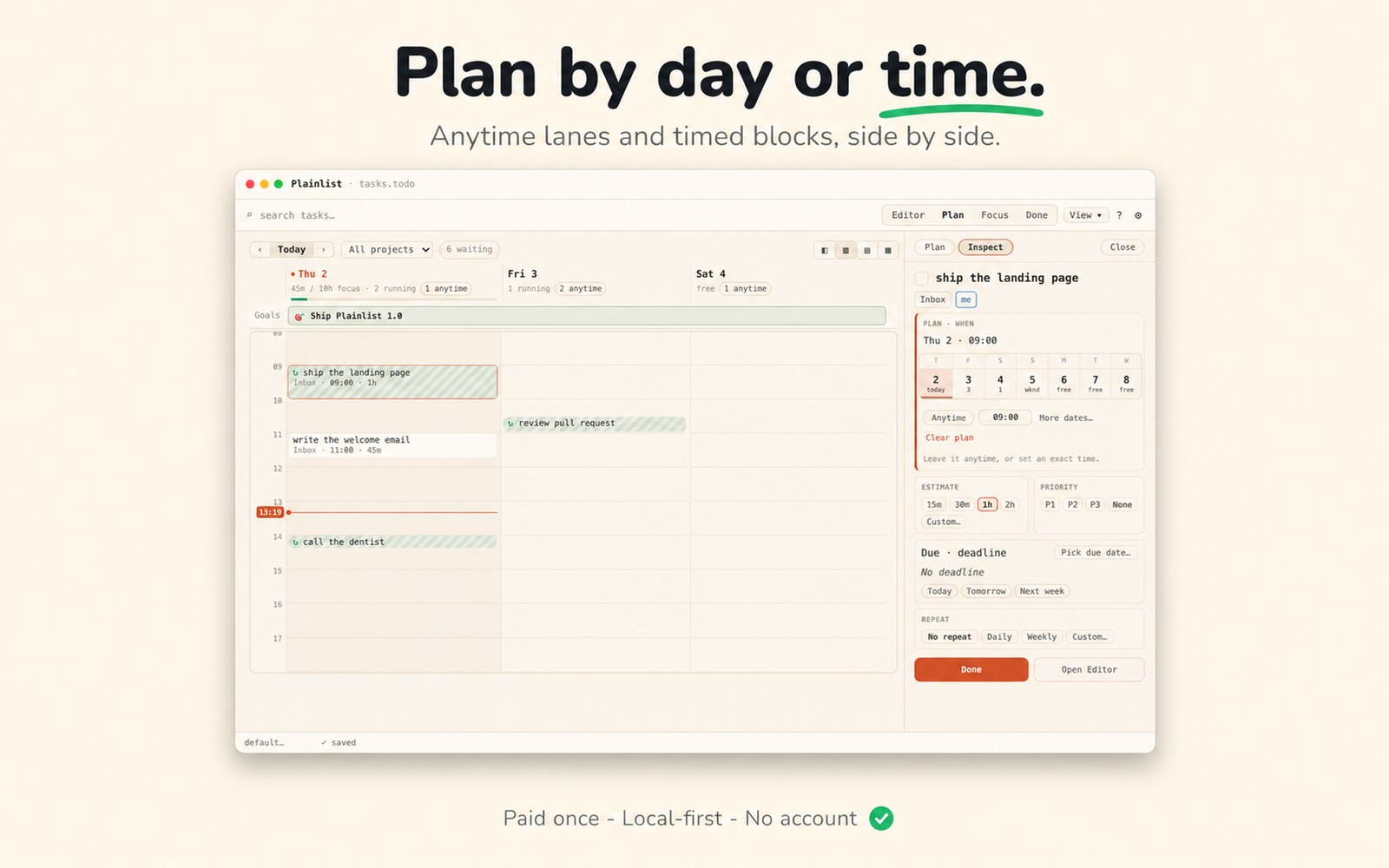
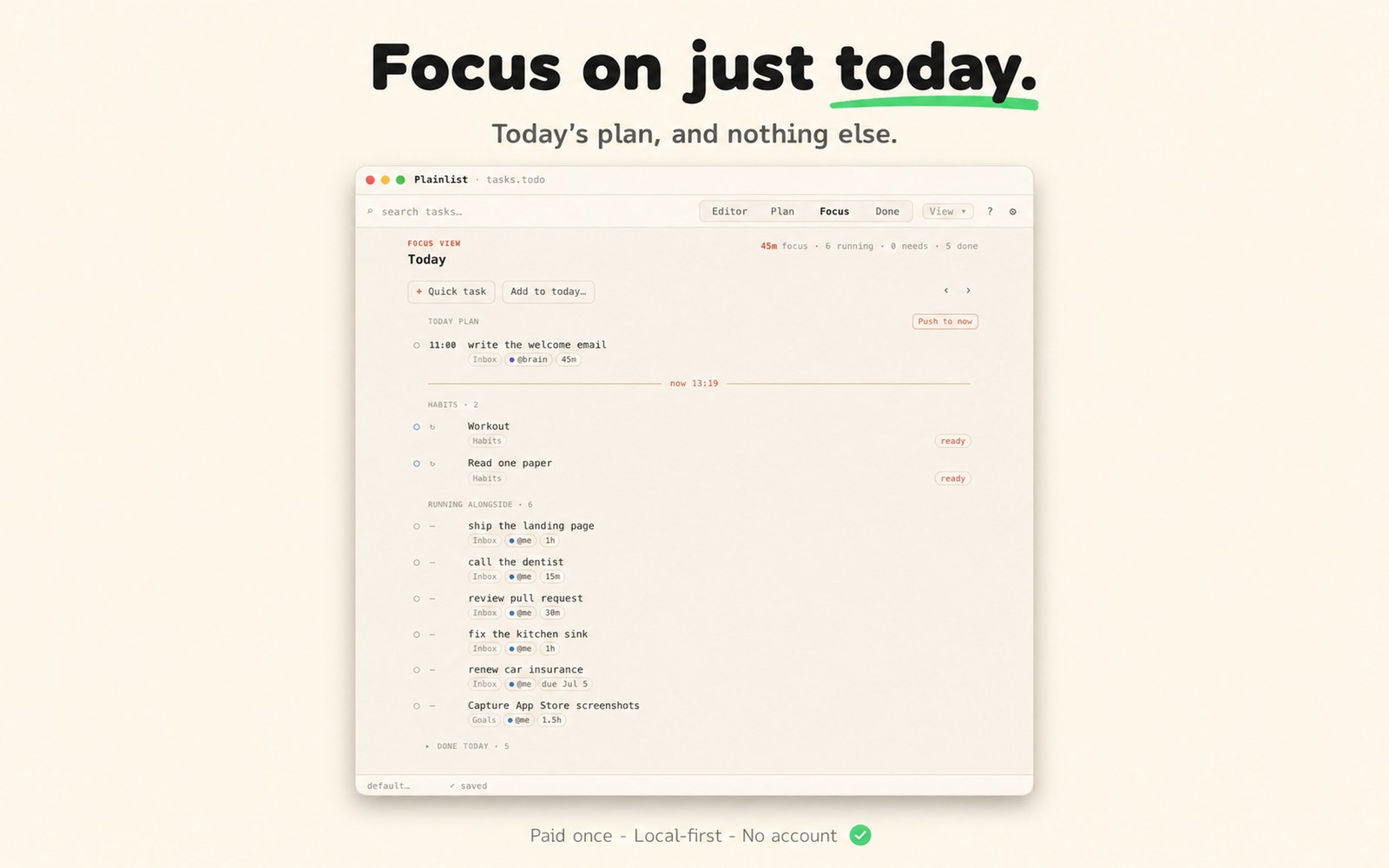
Organizing a full schedule and staying focused pull against each other. Plainlist splits them into two surfaces over the same file: Plan to shape the day and week with anytime lanes and timed blocks, Focus to work today and nothing else.
- Plan by day or by time. Date-only lanes or exact timed blocks, both written as @start.
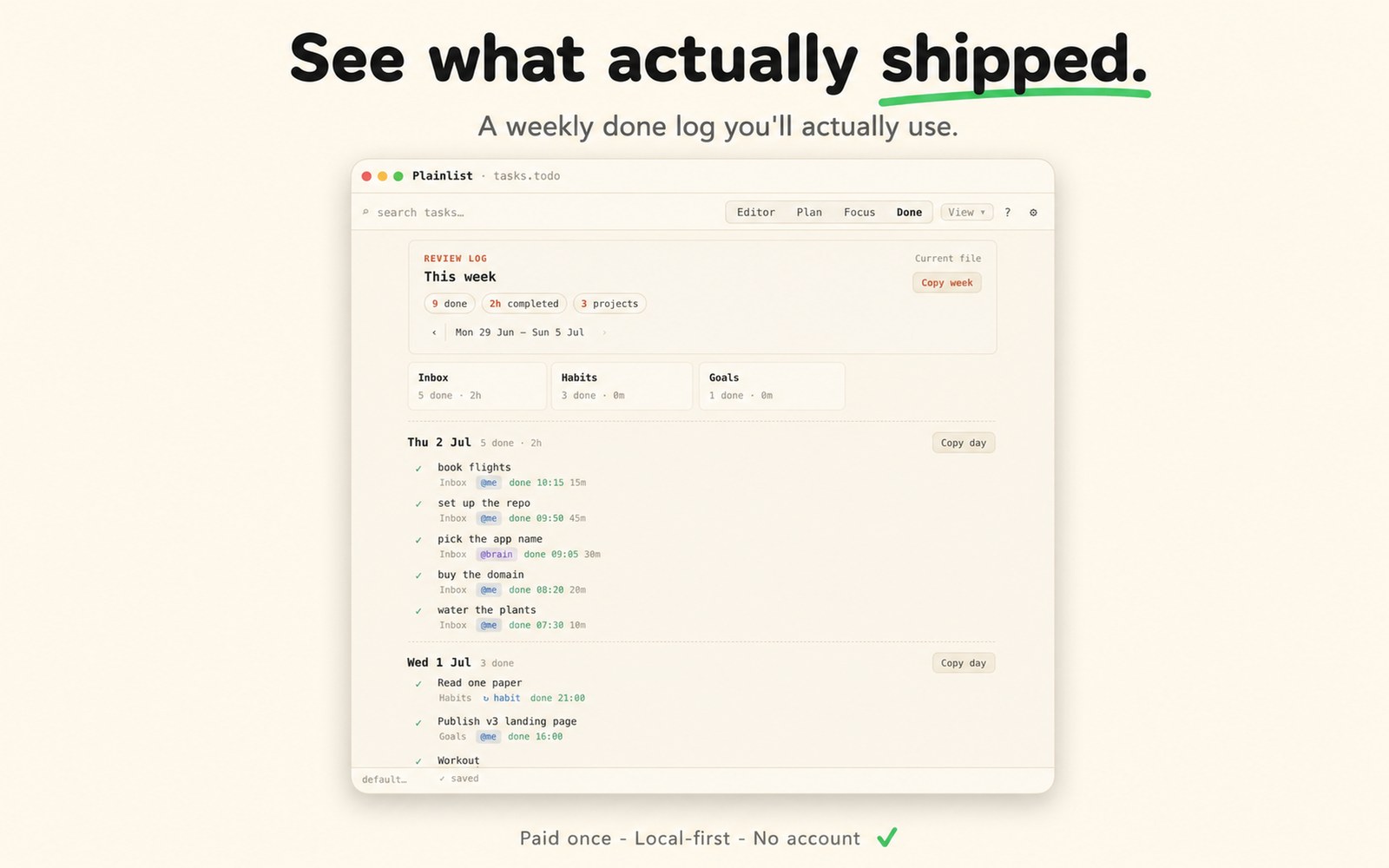
- Focus shows just today — planned work, what's running, and done-today receipts.
Problem 03 · Know what matters
When the day's full, goals keep priorities from blurring.
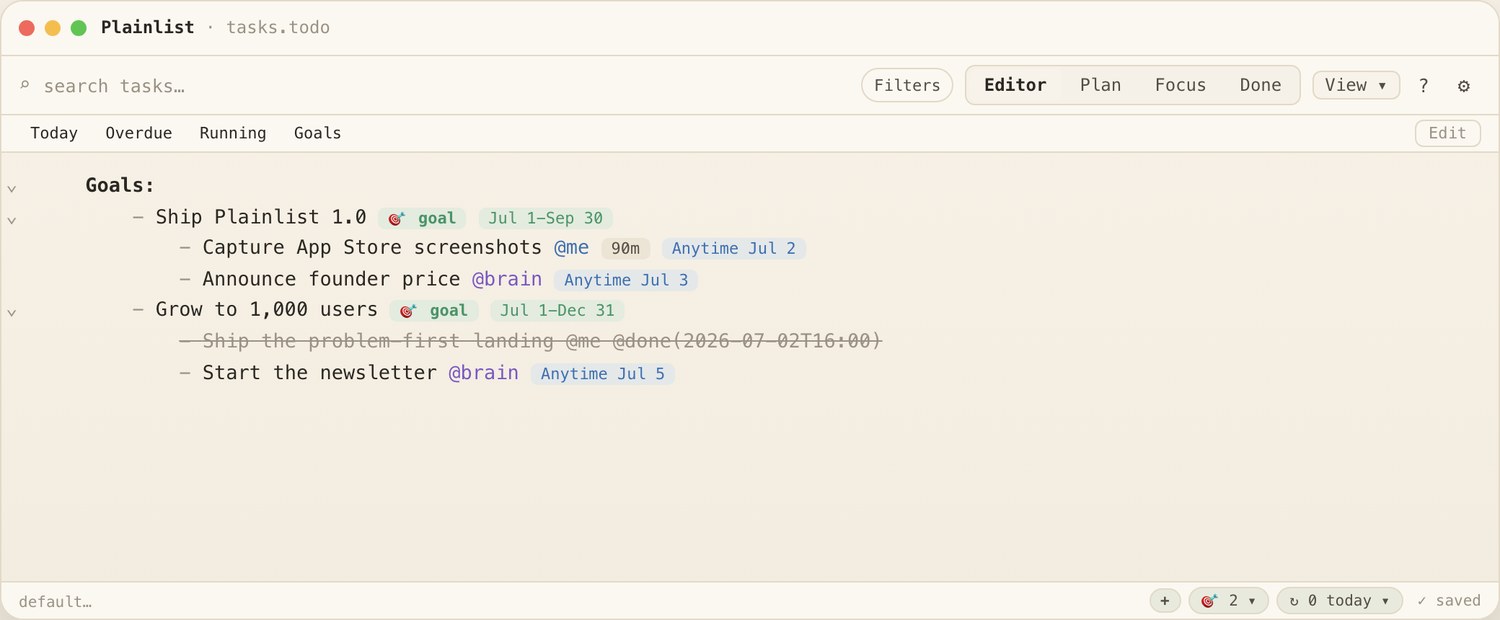
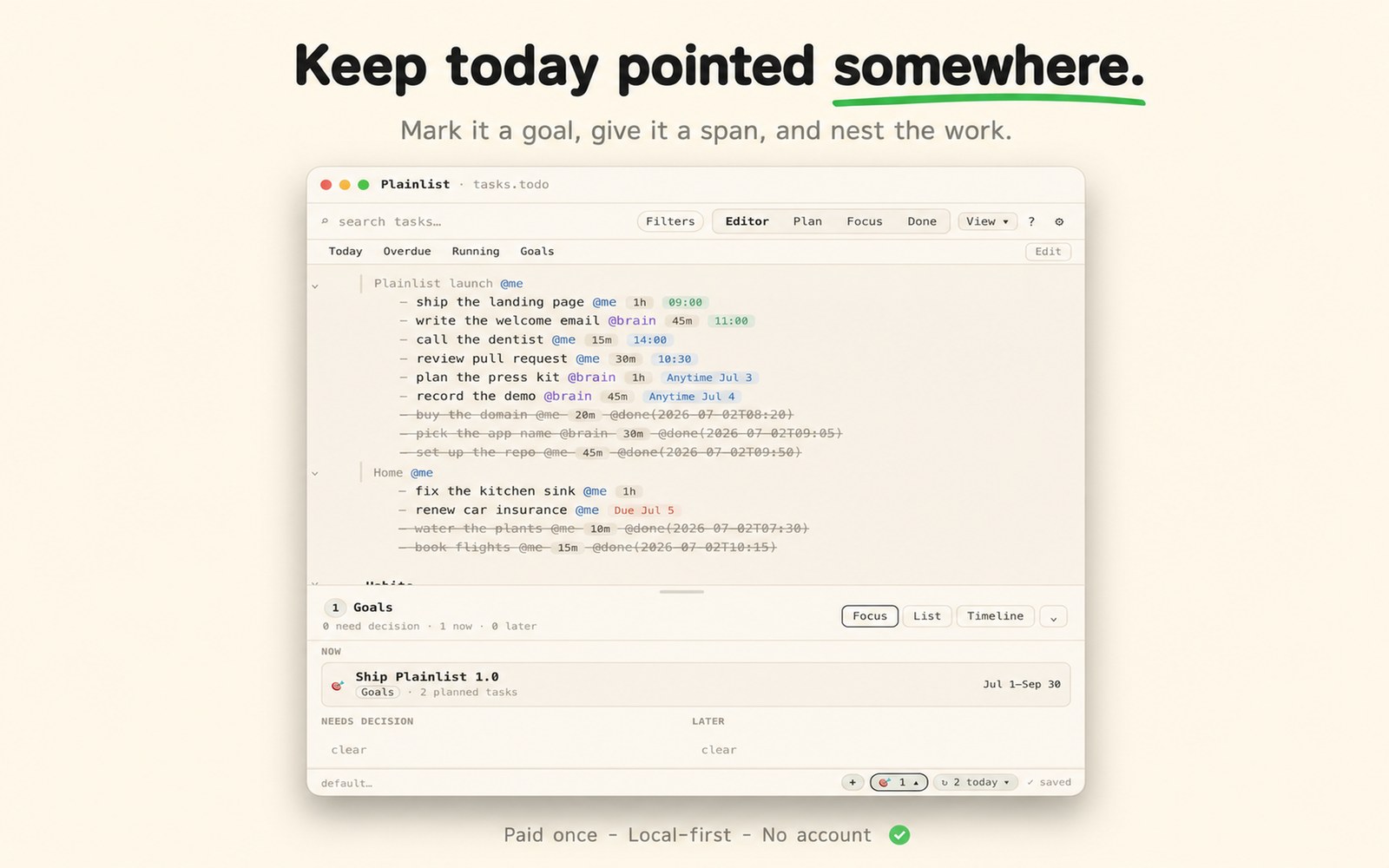
Mark an outcome with 🎯 and an optional @span, then nest the tasks that move it right underneath. The day's work points somewhere, so what matters stays obvious when you're slammed.
Problem 04 · Keep the rhythm
Keep the habits that compound — without another app.
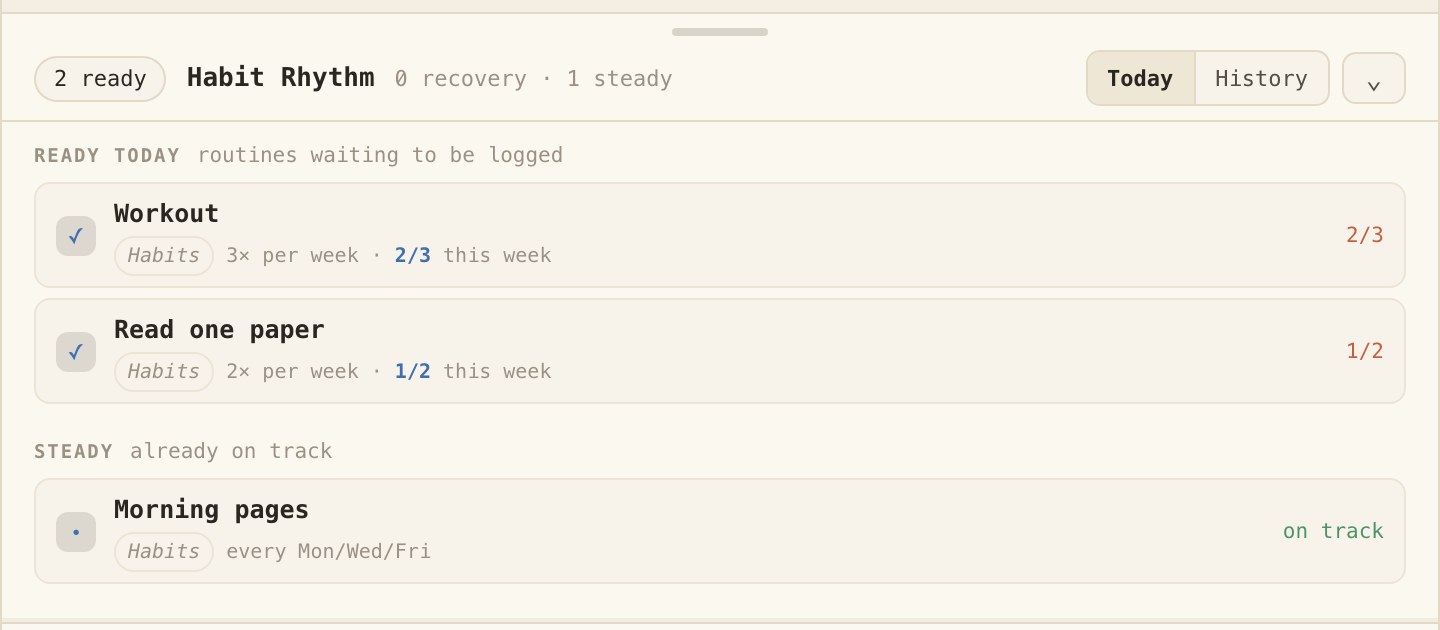
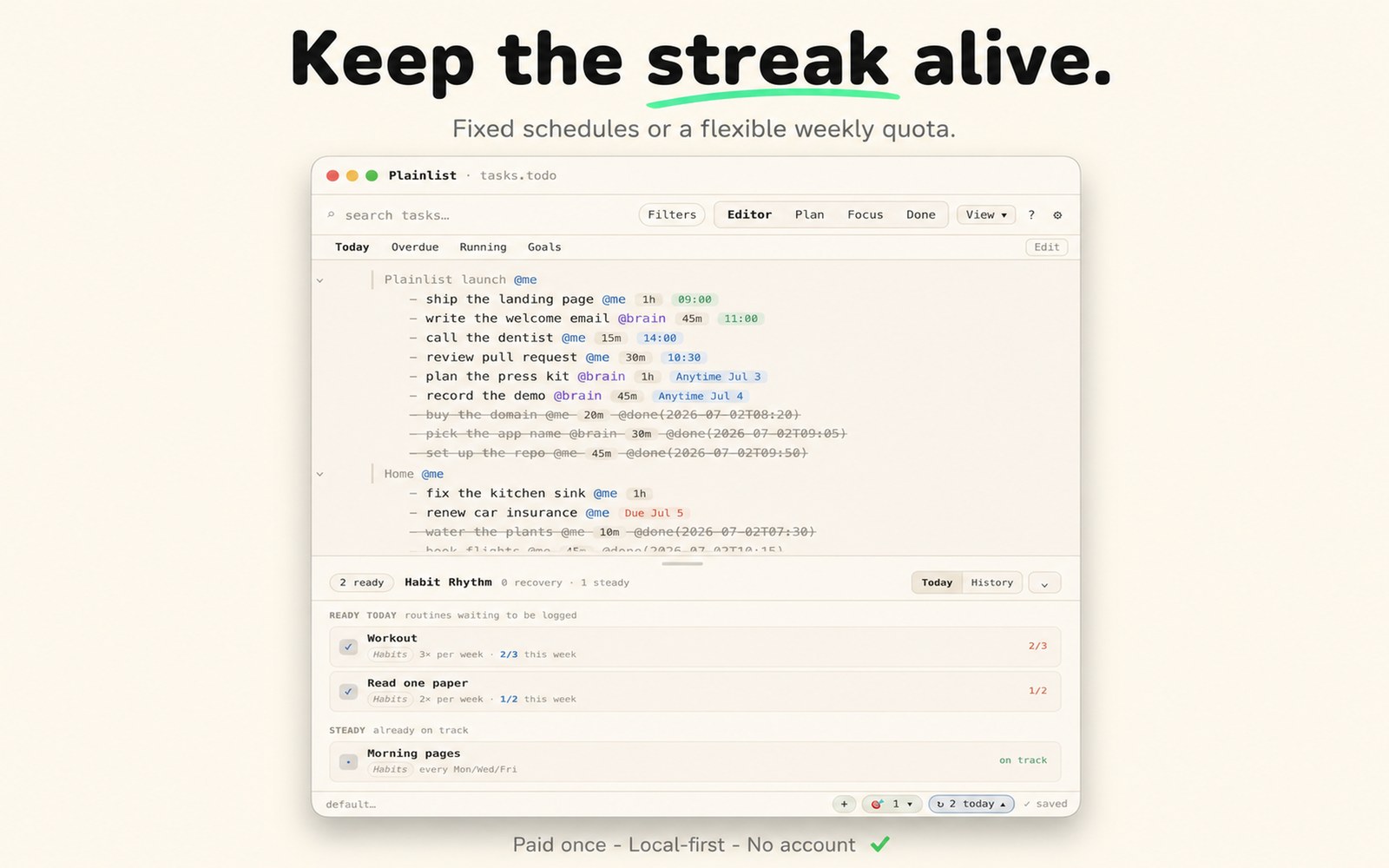
Track a routine on a fixed schedule (@every(mon/wed/fri)) or a flexible weekly quota (@quota(3/week)). A Habits drawer shows what's ready today, your current streak, and Week/Month history.
- Fixed weekdays or a weekly quota — ready-today, on-track, and streak, all derived from the file.
- Still one text file — your day, habits, and goals live a few lines apart.
Screenshots
See the actual app.
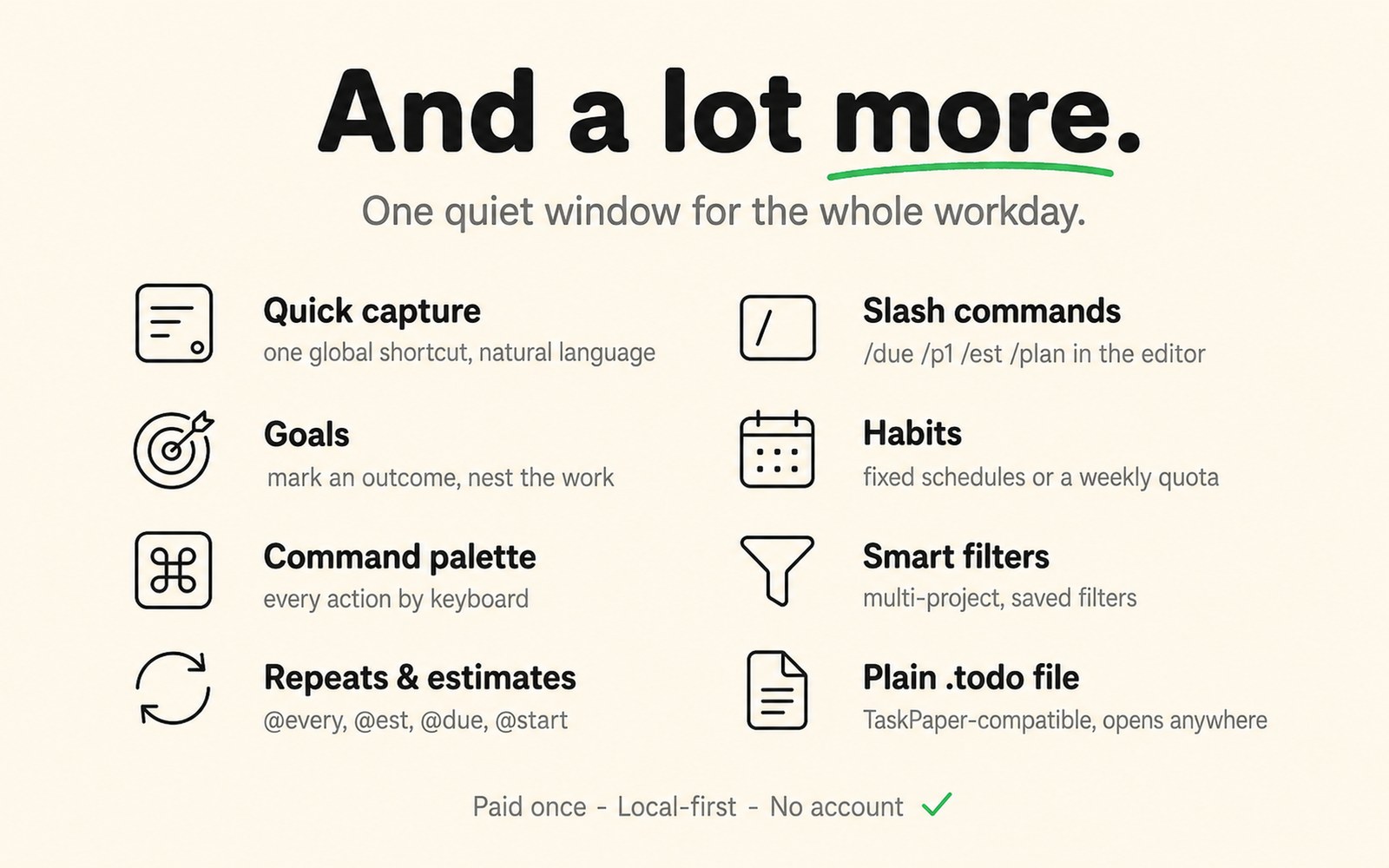
The same .todo file, every way — Editor, Plan, Focus, Goals, Habits, Done — plus everything else in one quiet window. Click any shot to zoom.
Keyboard-first
Hands stay on the keys.
Fast by mouse. Faster by keyboard. Capture from anywhere, open ⌘K, finish with ⌘D, and edit task metadata without leaving text flow. Power-user speed, no power-user ceremony.
The reason it's safe to commit
It's one plain-text file
you own.
You've abandoned trackers before because they were never really yours. This one is a readable .todo file — paid once, no account — that opens in Vim, VS Code, or TextEdit. There's less to abandon, because the plan is still just a file.
- TaskPaper grammar. Projects end in a colon, tasks start with -, tags are plain @words.
- The text is the state. No hidden database — what you see in the app is what's in the file.
- Keep it in any folder you already sync — iCloud, Dropbox, or Git.
# tasks.todo — plain UTF-8, tabs = nesting
Work:
	- draft Q3 report @brain @est(2h) @start(2026-06-01) @due(2026-06-05) @p1
	- reply to client emails @ai @est(30m)
		- prep standup notes @me @est(15m) @start(2026-06-01T14:00)
Habits:
	- workout @habit @quota(3/week)
Goals:
	- Ship 1.0 🎯 @span(2026-07-01..2026-09-30)
Be first when Windows & mobile land.
macOS today. Windows, iOS, and Android are on the roadmap, built on the same file-owned model. Leave your email and we'll tell you the day each one ships — nothing else.
No spam · roughly one email per platform launch · unsubscribe anytime.
Buy the app once. Keep the file forever.
Native, local-first, and account-free. macOS is the mature build, Linux is out as an early beta, and Windows, iOS, and Android are coming around the same file-owned model. $19.99, paid once — no subscription, no account.
On Linux? An early beta runs natively on Ubuntu-family desktops:
AppImage ·
.deb ·
.rpm
What beta means here →
Have a bug or a feature idea?
Open feedback boardNo account needed · votes shape what ships next, in Featurebase.
FAQ
Questions, answered.
Is Plainlist a subscription?
No. Plainlist is paid once — a one-time purchase with no recurring fee and no account. It includes a 14-day free trial.
Where are my tasks stored?
In one plain-text .todo file you own, stored locally in any folder you control (iCloud Drive, Dropbox, Git, or a local folder). It opens in any plain-text editor — Vim, VS Code, or TextEdit.
Does Plainlist lock in my data?
No. The file is standard TaskPaper-compatible plain text — no proprietary format, no cloud database. The app and the file never disagree, so if the app ever disappears your plan still opens anywhere.
Does Plainlist have habits and goals?
Yes. Since version 0.19.0, goals (a 🎯 marker with an optional @span timeframe) and habits (fixed @every schedules or flexible @quota weekly targets, with a Habits drawer for streaks and history) live in the same .todo file as your day.
What platforms does Plainlist support?
macOS 12+ (Apple Silicon and Intel) is the mature build. Linux is available as an early beta (AppImage, .deb, .rpm), tested on Ubuntu-family desktops. Windows, iOS, and Android are planned, built on the same file-owned model.
Is Plainlist compatible with TaskPaper?
Yes. Plainlist uses TaskPaper-compatible grammar — projects end in a colon, tasks start with a dash, tags are plain @words — so existing TaskPaper files open as-is.