 Plainlist
7 Reasons Your To-Do App Is Lying to You (and Plain Text Isn't)
Your to-do app isn't helping you. It's helping itself. Every notification, badge, and streak is engineered to make you feel organized, not to get things done. I've watched people abandon systems that promised clarity within a few weeks, and I did the same for years. It probably matches what you did too.
I've been through all of it. I built a plaintext planner because the alternatives kept failing me the same way, and each reason below is one I hit personally.
The fix is embarrassingly simple: a text file. Here are the seven reasons why, in roughly the order they'll annoy you. Some of these are business-model facts. Some are just things I learned the slow way.
1. Apps optimize for retention, not completion
A to-do app makes money when you keep opening it, not when you finish tasks. So it optimizes for open: streaks, badges, gamification, the little red dot. These are the same retention mechanics social media uses, and they work on your brain the same way. That's not a conspiracy. It's just what the business model rewards.
You're on a twelve-day streak. The app tells you, proudly. Why? Because a streak is a reason to open the app tomorrow, and that's the metric that matters to its growth team. Your finished projects aren't in the dashboard.
A text file has no agenda. It doesn't want anything from you. It just holds your tasks. That sounds like a small difference. It's the whole difference: the app's incentive and yours are misaligned, and the file has no incentive at all. The app wants your attention. The file wants nothing.
2. Your data is a hostage
Most to-do apps store your tasks in a proprietary cloud. When the app dies, and most eventually do, your history goes with it. You don't get a vote. You get an export button if you're lucky, and a PDF of everything you typed, maybe.
Every couple of years, a beloved app shuts down. The community mourns, then starts exporting, and the exports are always a mess. Plain text is the only format I trust to still be readable in twenty years, by any tool, on any device. Not because text is magic, but because it's the one format with no owner. Nobody can sunset plain text. If you wouldn't store your photos in a format only one company can open, your task list deserves the same respect. That list is the history of everything you've planned for the last year. Keeping it in a format you can't open without a specific app is a choice.
3. Capture should take 2 seconds, not 2 minutes
Watch yourself add a task to a modern to-do app: open app, tap add, pick a project, choose a date, set a priority, pick a tag. Six decisions before the task exists, and you'll do it forty times a day. That's not capture, that's data entry. I don't have a study handy, but I've seen the pattern in my own use and in everyone I've talked to: the more friction capture has, the less you capture. You start keeping tasks in your head, which is where they go to die.
A text file: type one line, done. The rule I use: if it takes longer to enter a task than to do it, the tool is the problem.
4. Lists don't plan. Calendars do.
This is the big one. A to-do app gives you a list and calls it a plan. But a plan requires time: this task goes Tuesday, that one needs two hours. A list has no time in it, so it can't tell you the truth about your week. You just have forty items and a vague sense of dread.
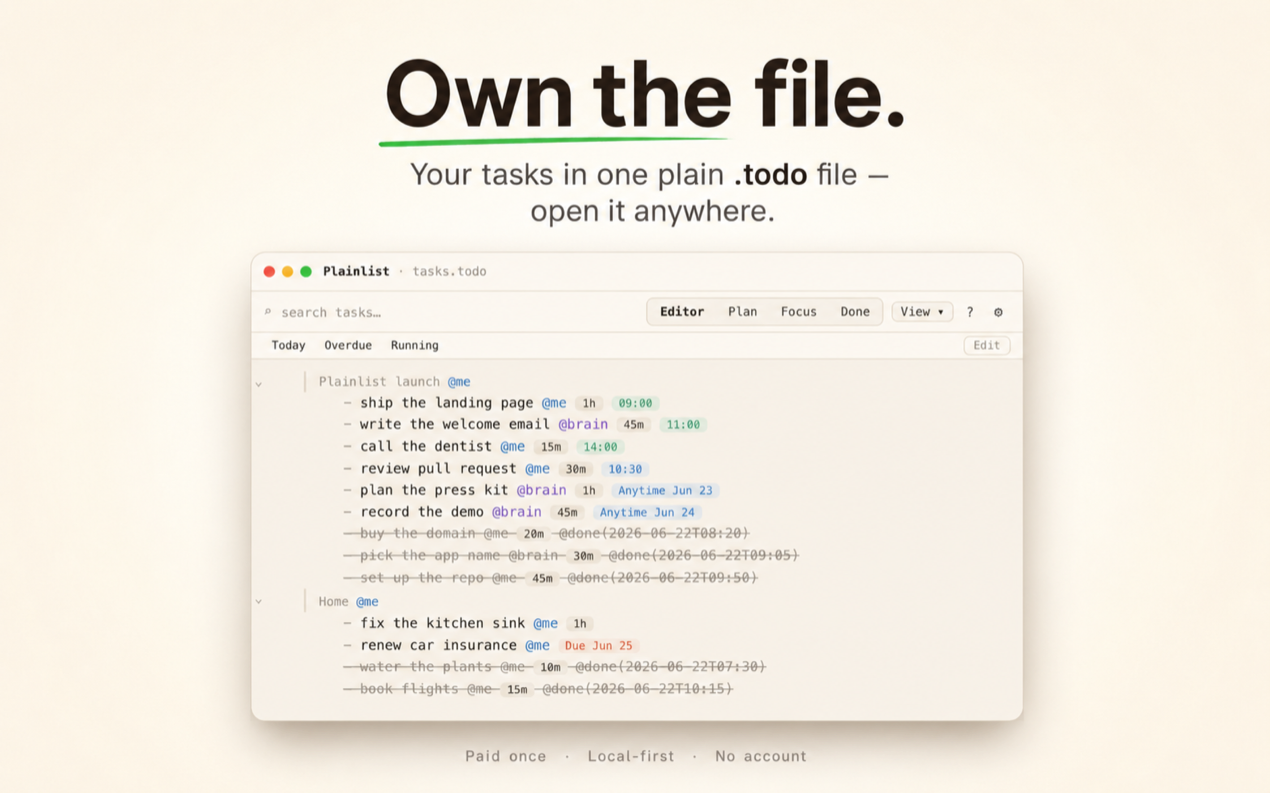
Put the same tasks on a calendar and two things happen. Overload becomes visible: Tuesday with six tasks, Wednesday with one, you see it in a glance, no mental math. And commitments become real: a block on Tuesday is a decision, not a hope. On a list you feel that overload as a vague dread. On a calendar you see it, and you move one of Tuesday's tasks to Thursday before it becomes a problem. The app I built does this by default, but you don't need it. Paper works.
5. "Priority" is a lie you tell yourself
Marking forty tasks as high priority is how apps let you feel decisive while avoiding decisions. If everything is high priority, nothing is. The tag is a way to not choose, dressed up as a way to choose.
And when nothing stands out, you pick whatever's easiest or newest, which is the opposite of a plan. Plain text forces honesty. If it doesn't fit on the calendar, it's not a commitment. It's a someday. And someday is fine, as long as you call it that and stop carrying it around as urgent.
6. Features are procrastination in disguise
Organizing your task manager is a task. Setup, themes, workflows, automations, the perfect tag structure: all of it is productive-feeling avoidance. I did this for years. I built systems I was proud of and used for a week.
I once spent an evening building a workflow that would auto-tag my tasks. It worked. I used it for a week, the novelty wore off, and I was left with a system I was afraid to touch because I no longer remembered how it worked.
The best system is the one you stop configuring and start using. That's the whole argument for plain text: there's nothing left to configure, so the only thing left is the work.
7. Text survives. Apps don't.
The tools you'll use in 2036 don't exist yet. Your .txt file will open in all of them, because plain text is the one format that never went away and never will. No conversion, no migration, no "we're sunsetting the app" email.
This is the reason I built a planner around a text file instead of a database. Not because databases are bad. Because I want my tasks to outlive whatever I'm using to read them. Your tasks are the asset. Own them.
The takeaway
You don't need a better to-do app. You need fewer decisions and one honest file: write tasks as text, drop them on a calendar view, and actually look at the week. It takes ten minutes a day, and it doesn't lie to you.
If you want the mechanics, the how-to walks through the whole system step by step. And if one of these seven hit a little too close, tell me which one. I have opinions about all of them.
It's not magic. It's just fewer lies. The file won't gamify your life, and that's the feature. If you want the tool that does this on a file you own, that's what I built: paid once, no account, macOS only for now. But start with any text file. The honesty is free.